BSP


Kanji Learning Today: Online 1
Tracking
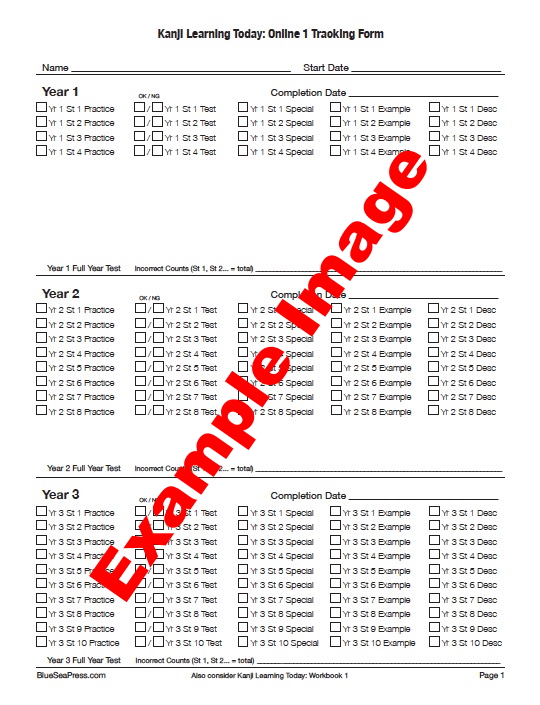
Tap the button according to the paper size needed. Print the PDF from your device.
You can also save the PDF to your device and open it with a PDF reader to make entries on the form and keep the record on your device.
Tracking Onscreen Without Printing
In order to use the KLT1 Tracking Form for on-screen input, a PDF reader with sufficient functionality, such as or Acrobat Reader for iPad (or computer), must be installed. Use the PDF reader to open the KLT1 Tracking Form saved to your device from the browser. This will allow permanent saving of your tracking information.
With a suitable PDF reader, you will be able to study Kanji Learning Today: Online 1 in your browser, switch to the PDF reader in order to record progress, and then switch back to the browser for more study.
Tracking Over Long Term
In order to monitor your progress over several weeks or months, save a new copy of the PDF for each series of study sessions. For example, a copy in August should show improved scores in comparison to a copy saved in January.
The KLT1 Tracking Form presents information for tracking study of Year 1 through Year 6, but the learner can use the form as desired. A new learner may want to use the tracking form to study a particular Year, such as Year 1 or Year 2, for several consecutive sessions without advancing to another Year. In contrast, an advanced learner may want to review all of the Years as quickly as possible and therefore use one copy of the tracking form until all the pages have been studied.
Go to Kanji Learning Today: Online 1 Table of Contents